Neofetch is no longer supported, but there is actively maintened alternative called fastfetch for fetching system information and displaying it in a visually appealing way.
sudo pacman -S fastfetch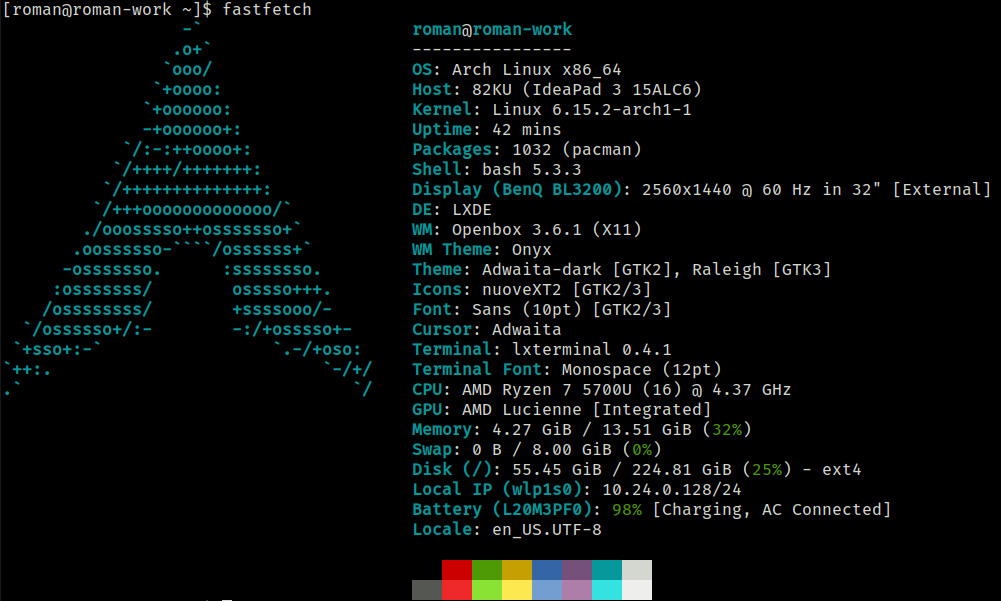
Neofetch is no longer supported, but there is actively maintened alternative called fastfetch for fetching system information and displaying it in a visually appealing way.
sudo pacman -S fastfetchUsing find and sed a text in multiple files can be replaced using a one liner. If you have GIT bash you can do it in Windows too.
In the example below address of old.server.com will be replaced with new.server.com in all Web.config files.
find /c/inetpub/wwwroot -name "Web.config" -exec sed -i 's/old.server.com/new.server.com/g' {} +I use those steps on LXC virtual in Proxmox:
apt update && apt upgrade sed -i'.bak' 's/bullseye/bookworm/g' /etc/apt/sources.list/etc/apt/sources.list.d/ appropriatelyapt updateapt upgrade --without-new-pkgsapt full-upgraderebootSee detailed instructions here.
Even on MacOS Sequoia ssh does not support FIDO2. You need to install openssh using brew, otherwise you may get error Cannot download keys without provider when you try to import resident keys from Yubikey using ssh-keygen -K.
After you install openssh brew install openssh, restart terminal and make sure which ssh displays /opt/homebrew/bin/ssh.
Another problem that you may face, which is not related to MacOS is error Provider "internal" returned failure -1. The problem is that you may generate SSH key on Yubikey without FIDO PIN. But if you do not set FIDO PIN, you cannot import the key. Fortunately you can set the PIN later.
ykman fido access change-pinThis guide is meant for those who need to work in Windows from time-to-time and would like to have linux feeling.
In Altap Salamander go to Configuration -> Editors.
| Command | "C:\Program Files\Git\bin\bash.exe" |
| Arguments | --login -i -c 'nano "$(Name)"' |
| Initial Directory | $(FullPath) |
--login -i is used to start interactive shell.
-c starts a command (nano …)